
THE COMMUNITY TACTICAL WORKSHOP

Plan.Analyse.Share.

Give your next match a plan. Build your opening, draw the route, and bring your team into the picture.

Windows applicationLocal build files
BUILD_01 / COMMAND DOSSIER2.2.0
Actual desktop app · 2.2.0Watch Demo ↗
Pioneer Squad0:00
Infanterie Kompanie0:15
Grenadier Squad0:50
MG 42 Machine Gun Team1:30
01 → 04An idea becomes a plan.
Windows applicationLocal build filesSteam sign-in requiredSteam profile integration

01 / YOUR OPENING, ON THE TABLE

Think a few moves ahead.

Pick a faction. Walk through an opening. See where a note can change the next decision.

BUILD ORDER STUDIOInteractive example

Step 1 / 5

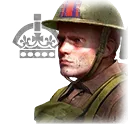
Pioneer Squad

Changes stay in this demo tab. Nothing is uploaded.

Illustrative steps and timings, not a recommended build or a live balance guide. Unit names and icons come from the app’s bundled 2.5.3 dataset.

INSIDE THE DESKTOP APP

Three small previews. Much more in the app.

Sample data. These previews do not publish messages, download files or install updates.

DEMO / BUILD COMPANION

Your next step, at a glance

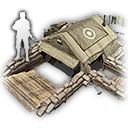
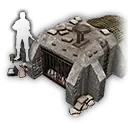
Pioneer Squad

Capture the safe connection first. Keep an eye on the other flank.
DEMO / COMMUNITY CHAT

A good word for your team

Studio Guide · automated moderator

Kestrel › sample profile

You're a great player.
DEMO / APP UPDATES

Updates on your terms

An in-app notice. Optional downloads and installation when you exit.

Local demonstration — no download

Get the full tools, saved work and your own plans in Studio for Windows.

Download

02 / A WORKSHOP FOR THE WHOLE MATCH

From the opening move to the replay.

Prepare on your own. Coordinate with a teammate. Come back with a question after the match.

01

Build Order Studio

Turn units, tech and notes into a plan you can edit and share. Add alternatives for different enemy Battlegroups.

In the desktop app
02

Map Atlas

Explore multiplayer maps, resource points and capture routes. Give each teammate a job.

In the desktop app
03

Historical Battle Atlas

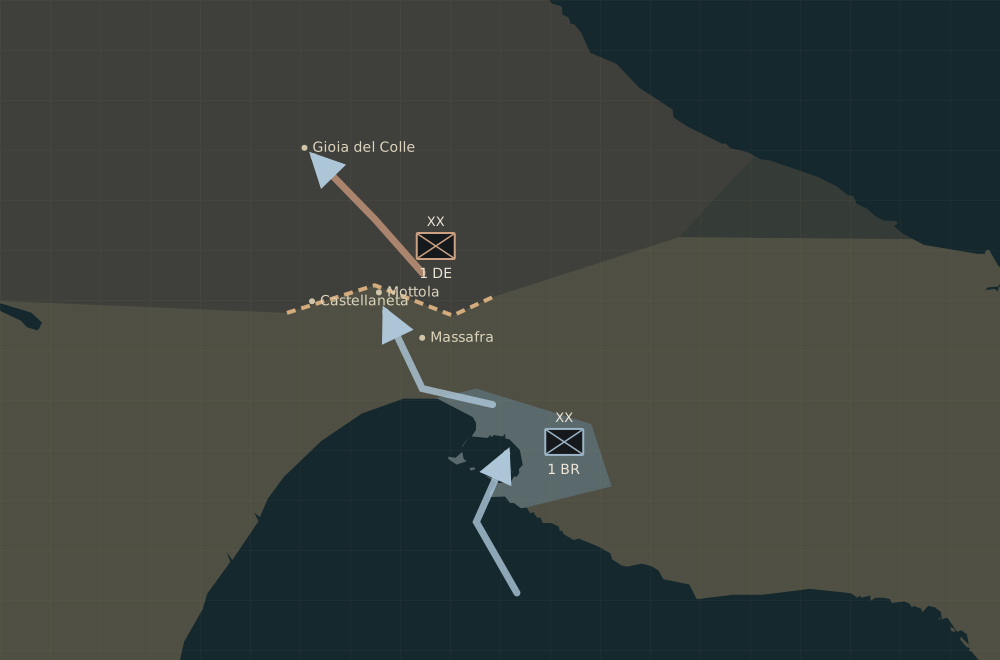
Put locations into their wartime context with dated, sourced reconstructions and NATO symbols.

Source-dependent
04

Unit Library

Look up units, weapons, buildings, upgrades and veterancy in the bundled multiplayer catalogue.

In the desktop app
05

Unit vs Unit

Compare loadouts, distance and veterancy. Save a setup and share it as a small comparison file.

In the desktop app
06

Replay Analysis

Review supported production, construction and research orders along the match timeline. Add your own notes.

Source-dependent
07

Map & Movement

Review decoded targets, estimated routes and annotations. Missing replay data stays visibly uncertain.

Source-dependent
08

Damage Log

A complete per-hit damage log is not available. The existing loss log and review notes help record supported events.

Source-dependent
09

OBS Overlay

A compact match roster for your stream, with the app’s rank artwork and optional ELO and position.

In the desktop app
10

Dynamic OST

Use your own music collection with calm, skirmish and intense states, configurable controls and crossfades.

In the desktop app
11

Recent Games

Bring public match history and player profiles into the app when the upstream service has data.

Source-dependent
12

Community

Share exported plans and guides now. A public build library and author pages are the next step.

Upcoming online feature
13

Steam Profiles

Use the existing official Steam sign-in flow. Website account views are being prepared.

Upcoming online feature
14

Cloud Saves

Optional online copies for your builds are planned. Local saving remains the starting point.

Upcoming online feature

03 / KNOW THE GROUND

Every opening needs a route.

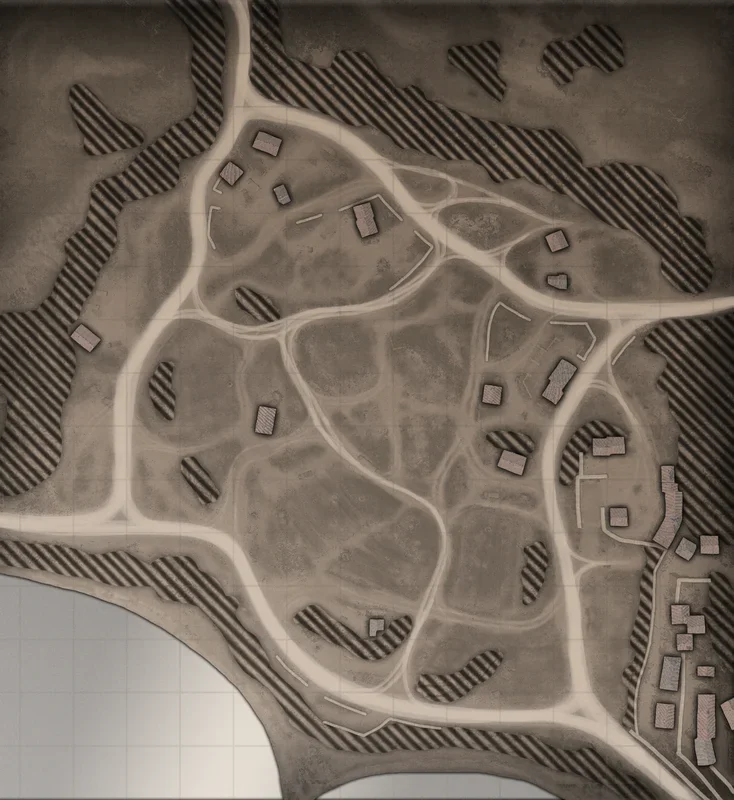
Explore a real multiplayer map, sketch a capture route, or switch to the historical context behind its location.

Interactive example
Taranto Coastline
40.464° N · 17.247° ERoute points: 0

04 / ASK A BETTER MATCHUP QUESTION

What changes with veterancy?

Try one small part of Unit vs Unit. The desktop tool adds equipment, cover, target facing and saved comparisons.

WEHRMACHT

Grenadier Squad

—Estimated direct-fire DPS
VS20540

US FORCES

Riflemen Squad

—Estimated direct-fire DPS

Stationary squads, open ground, default equipment. Uses the desktop calculator and bundled 2.5.3 data. Unsupported effects remain unmodelled; these numbers do not predict a winner. Some effects are not modelled.

COMMUNITY

Community build room

Find an opening. See the movement. Make it your own.

Preview catalogue · all authors, ranks, relationships and counts below are fictional. Public posting is not connected yet.

Wehrmacht1v1 · PvP
DEMO

Cover first. Then the flank.

Taranto Coastline · Intermediate

Pioneer SquadInfanterie KompanieGrenadier SquadMG 42 Machine Gun Team
▶ Tactical animationGame patch 2.5.3
KestrelOberstOberst
♡ 24☆ 8↓ 61
US Forces2v2 · PvP
DEMO

Two squads. One opening.

El Alamein · Beginner

Scout SquadBarracksRiflemen SquadRiflemen Squad
Game patch 2.5.3
FoxCaptainCaptain
♡ 18☆ 12↓ 43
British Forces1v1 · PvE
DEMO

Hold the connection.

Bologna · Beginner

Royal Engineer SectionSection Command PostInfantry SectionInfantry Section
▶ Tactical animationGame patch 2.5.3
KestrelCaptainCaptain
♡ 31☆ 15↓ 72

Posting will use your Steam account. Builds will keep their own version, tags, optional animation and author attribution. The publishing service is not connected in this preview.

Browse examples

READY FOR YOUR NEXT SESSION

Your workshop, on your desktop.

The complete Windows studio. Steam sign-in required; local builds and personal media are preserved.

Version 3.1.0 is prepared. The download button will be enabled when the release operator publishes a verified installer URL.

Upcoming release

CoH3 Build Studio 3.1.1

OS
Windows x64
Release date
2 October 2026
Installer size
379.7 MB (379,720,760 B)
da45d0d1e9665ca49f037379c66fe66274da900ccd2b49e209570c015b604e34

CHANGELOG

Field notes. Release by release.

Changes to the desktop app, drawn from the existing release documentation.

FAQ

Before you drop in.

Do I need Steam sign-in to use the app?

Yes. Version 3.1 requires Steam sign-in to open the app. Your local builds and media stay on your device. The website demos work without an account.

Can I try it without installing?

Yes. The interactive demos on this site run in your browser. Their scope is smaller than the desktop application.

Is replay analysis a complete recreation of the game?

No. It reads supported replay events. Some movement and territory views are estimates or annotations. Missing data is not treated as zero.

Are Community Builds and Cloud Saves live?

Not in this website release. The community cards and profile pages are clearly marked examples. Steam sign-in is available only through the desktop app.

Which languages are supported going forward?

English is the default, with Polish as the only other supported language. Earlier desktop release notes describe the languages that shipped at that time.

Is this an official Relic product?

No. CoH3 Build Studio is an independent community project by BlueSkidrow.

COH3 BUILD STUDIO 2.2.0

See the desktop workshop.

Video walkthrough coming soon. These are actual screenshots of the 2.2.0 app with an illustrative build.

Build export controls and the Command dossier layout.
1 / 2